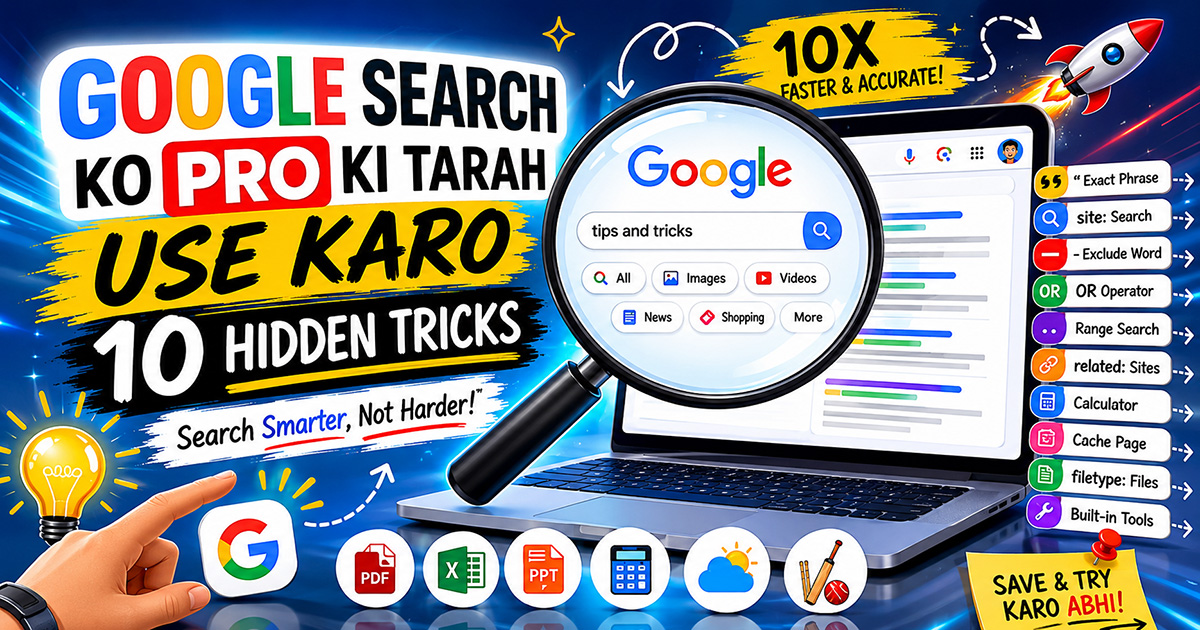
Rozana Google use karte hain — lekin kya aap jaante hain ki zyada tar log Google ka sirf **10% potential** use karte hain?
Woh bas kuch words type karte hain aur pehla result click kar dete hain. Lekin Google mein bahut saari **hidden tricks** hain jo aapki search 10x faster aur accurate bana sakti hain.
Aaj hum woh **10 tricks** sikhenge jo Google power users use karte hain — aur aap bhi aaj se use kar sakte hain.
---
## Trick 1: Exact Phrase Search — Quotes Use Karo
Agar aap koi **exact phrase** dhundna chahte hain — to use **double quotes** mein likhо.
**Normal Search:**
```
best biryani recipe
```
Yeh lakhon results dega — sab alag alag.
**Pro Search:**
```
"best biryani recipe"
```
Sirf woh results aayenge jisme yeh exact phrase hai.
**Kab Use Karein:**
- Koi specific quote dhundna ho
- Exact product name search karna ho
- Kisi article ka title dhundna ho
---
## Trick 2: Kisi Specific Site Pe Search Karo
Kisi ek website ke andar search karna ho to **site:** operator use karo.
**Example:**
```
site:techinkhindi.in android tips
```
Sirf TechInHindi ke andar se Android tips wale articles aayenge.
```
site:youtube.com cooking hindi
```
Sirf YouTube ke cooking Hindi videos aayenge.
**Kab Use Karein:**
- Kisi bade website ke andar specific content dhundna ho
- Apni hi website ke pages check karne ho
---
## Trick 3: Koi Word Exclude Karo — Minus Sign
Results mein koi specific word nahi chahiye? **Minus (-)** sign use karo.
**Example:**
```
laptop under 50000 -gaming
```
₹50,000 se kam laptops — lekin gaming laptops nahi.
```
mango recipes -pickle
```
Aam ki recipes — lekin achar nahi.
**Kab Use Karein:**
- Jab specific category exclude karni ho
- Jab results mein unwanted content aa raha ho
---
## Trick 4: Do Cheezein Ek Saath Compare Karo — OR Operator
Ek search mein do options compare karna ho to **OR** (capital mein) use karo.
**Example:**
```
iPhone 15 OR Samsung S24 review
```
Dono phones ke reviews ek saath aayenge.
```
Python OR JavaScript tutorial beginners
```
Dono languages ke beginner tutorials aayenge.
---
## Trick 5: Number Range Search — Two Dots (..)
Koi price range, year range, ya koi bhi number range search karni ho to **.. (do dots)** use karo.
**Example:**
```
smartphone ₹10000..₹20000
```
₹10,000 se ₹20,000 ke beech smartphones.
```
bollywood movies 2010..2015
```
2010 se 2015 ke beech Bollywood movies.
```
data science jobs ₹50000..₹100000
```
Ek specific salary range ki jobs.
---
## Trick 6: Related Websites Dhundo
Kisi website jaisi aur websites dhundni hain? **related:** operator use karo.
**Example:**
```
related:flipkart.com
```
Flipkart jaise aur e-commerce sites aayengi — Myntra, Snapdeal, etc.
```
related:cricbuzz.com
```
Cricket news ke aur platforms aayenge.
**Kab Use Karein:**
- Alternatives dhundne ke liye
- Competitors research karne ke liye
---
## Trick 7: Google Ko Calculator Ki Tarah Use Karo
Google ek powerful calculator bhi hai — seedha search bar mein calculation karo.
**Examples:**
```
15% of 2500
```
```
(450 * 12) + 500
```
```
sqrt(144)
```
```
1 USD to INR
```
```
100 km to miles
```
Result turant search bar mein hi aa jaata hai — calculator app kholne ki zaroorat nahi!
**Bonus:** Timer bhi set ho sakta hai:
```
set timer 10 minutes
```
---
## Trick 8: Purane Cached Version Dekhо — Cache
Koi website down hai ya page delete ho gaya? Google ka **cached** version dekho.
**Kaise Karo:**
Search result ke neeche teen dots pe click karo → **"Cached"** option select karo.
Ya seedha search mein:
```
cache:example.com
```
**Kab Use Karein:**
- Website temporarily down ho
- Deleted content dekhna ho
- Page load nahi ho raha ho
---
## Trick 9: Specific File Type Dhundo
PDF, PPT, Excel files specifically dhundni hain? **filetype:** operator use karo.
**Examples:**
```
digital marketing guide filetype:pdf
```
Sirf PDF files aayengi.
```
business plan template filetype:pptx
```
Sirf PowerPoint files aayengi.
```
budget tracker filetype:xlsx
```
Sirf Excel files aayengi.
**Kab Use Karein:**
- Study material PDF mein dhundna ho
- Templates download karne ho
- Research papers dhundne ho
---
## Trick 10: Google Ke Built-in Tools Use Karo
Google sirf search nahi — ek Swiss Army knife hai. Yeh cheezein seedha Google pe hoti hain:
**Dictionary:**
```
define: ephemeral
```
Word ka meaning, pronunciation, aur examples milenge.
**Weather:**
```
weather Delhi
```
Aaj aur agle 7 din ka weather.
**Flight Status:**
```
IndiGo 6E 123 flight status
```
Real-time flight information.
**IPL Score / Sports:**
```
IPL score today
```
Live cricket score seedha Google pe.
**Sunrise/Sunset:**
```
sunrise time Gurgaon today
```
**Movie Showtimes:**
```
Pushpa 2 showtimes near me
```
---
## Bonus: Google Search Shortcuts Ek Nazar Mein
| Trick | Syntax | Example |
|---|---|---|
| Exact phrase | "..." | "best laptop 2025" |
| Site search | site: | site:amazon.in earphones |
| Exclude word | - | recipes -nonveg |
| OR search | OR | Python OR Java course |
| Number range | .. | phone 15000..25000 |
| Related sites | related: | related:amazon.in |
| File type | filetype: | resume template filetype:pdf |
| Cached page | cache: | cache:example.com |
| Definition | define: | define: algorithm |
---
## FAQ
**Q1. Yeh tricks mobile pe bhi kaam karti hain?**
Haan — yeh sab operators mobile browser mein bhi perfectly kaam karte hain.
**Q2. Kya Google Yeh operators officially support karta hai?**
Haan — yeh sab Google ke official search operators hain, koi hack nahi.
**Q3. Site: operator se apni website check kar sakte hain?**
Haan — `site:apniwebsite.com` se dekh sakte hain kitne pages Google ne index kiye hain.
**Q4. Filetype: search mein kaunse formats kaam karte hain?**
PDF, DOC, DOCX, PPT, PPTX, XLS, XLSX, TXT — sab kaam karte hain.
**Q5. Kya yeh tricks Bing ya DuckDuckGo pe bhi kaam karti hain?**
Zyada tar operators Bing pe bhi kaam karte hain. DuckDuckGo mein kuch support karta hai, kuch nahi.
---
Google rozana use karte ho — ab **pro ki tarah use karo**. In 10 tricks ko bookmark karo aur ek ek try karo — guarantee hai ki aapki searching ki speed aur accuracy dono badh jaayegi!
**Kaun si trick aapko nahi pata thi? Comment mein batao!** 👇
💬 Comments 0